 Guillermo Zaandam
Custom Android experience
Custom Android experience.
- …by applying patches to your applications.
- You have to be cautious by installing any the manager app.
- The manager app applies patches to the original app. (very important)
- The manager app does this on your device. So no cloud is needed.
- No repacked app is needed if you know what you’re doing.
- Don’t download modified app unless you know what you’re doing.
- In this case https://revanced.app/ is the only good one out here.
- Same goes for https://github.com/revanced
- There are a couple of ways to get the an Android APK.
- This is more like user guide and not a manual, always read the url carefully.
Android Manager
As mentioned before, you can get the Revanced manager from https://revanced.app/ or https://github.com/revanced.
Getting an APK
You can get APKs from https://www.apkmirror.com/ which is made by Artem Russakovskii (https://www.linkedin.com/in/artemrussakovskii/) Who’s famous from one of my favourite Android website called:https://www.androidpolice.com/
Connection between APKMirror and Android Police?
What is the connection between APKMirror and Android Police?

In 2010, Artem Russakovskii started an Android blog called Android Police as well as its parent company Illogical Robot LLC. AP quickly grew into one of the leading Android sites on the web, and in 2014, Artem founded APKMirror as a sister property to help host the large amount of APKs AndroidPolice frequently referenced in its news coverage.

In mid-2021, Android Police was acquired by Valnet Inc. APKMirror remained independent and is still run by Artem Russakovskii and Illogical Robot LLC.
https://www.apkmirror.com/faq/
Another way of getting an APK
- APK Extractor
- An example APK Extractor: Apps backup and restore by Touchfield (https://play.google.com/store/apps/details?id=com.touchfield.appbackuprestore&hl=en)
- APK Mirror (https://play.google.com/store/apps/details?id=com.apkmirror.helper.prod&hl=en)
Get the version you want
- Through APK mirror and get the APK and not APK bundle for now as, because this isn’t supported.
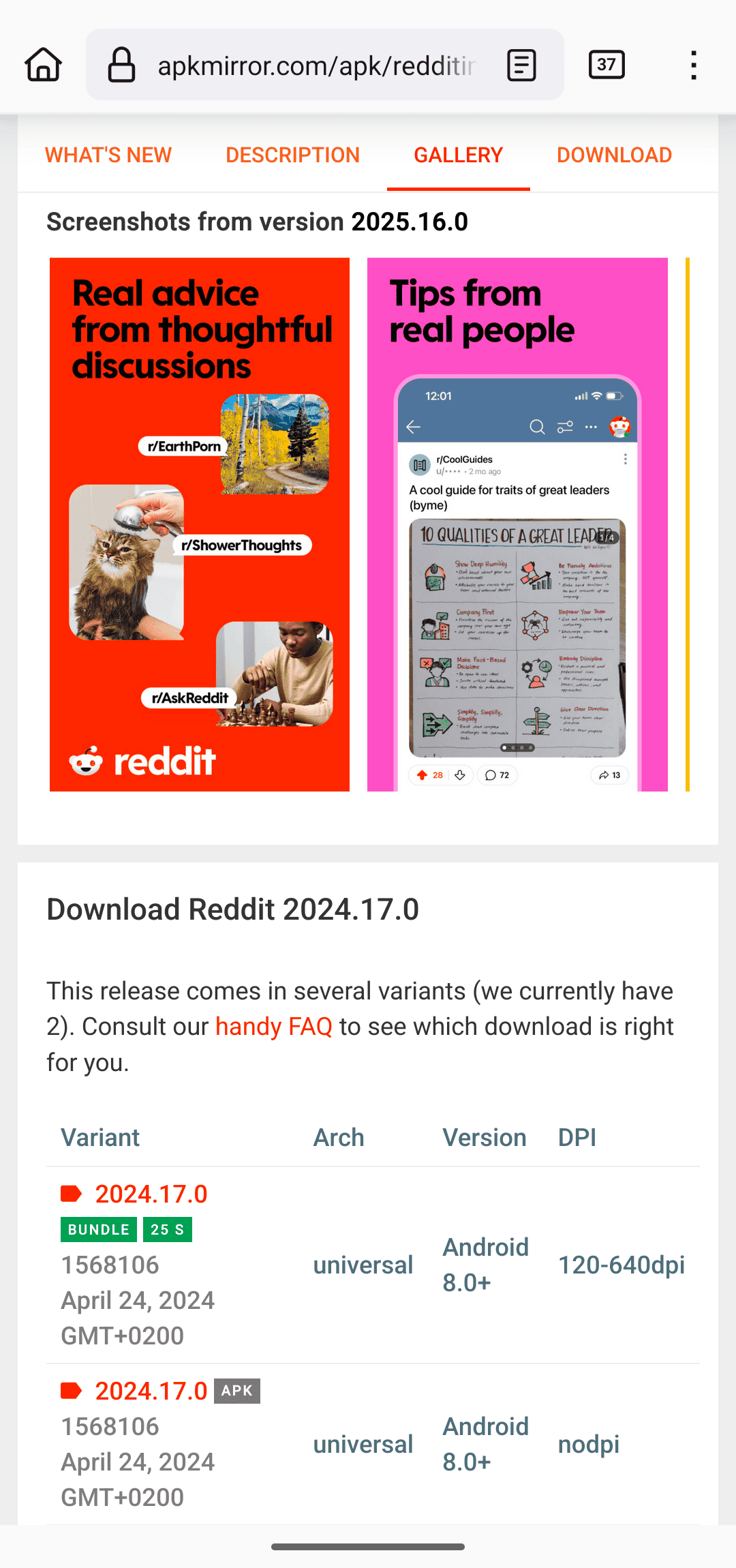
Split APKS!?
In mid-2018 at Google I/O, Google announced a new dynamic app delivery format called App Bundles. We highly recommend reading this AndroidPolice post as the illustrations will make the concept a lot easier to understand.

Otherwise, here is a quick explainer. Before app bundles, developers either created a single "fat" APK with all the libraries and resources in them or manually managed multiple APK variants (for example, arm64 320dpi, x86 320dpi, arm64 640dpi, etc.).

The new App Bundles allow developers to transfer the burden of dealing with variants to Google, which then splits the app release into multiple chunks - hence the term split APKs. Each release then consists of a base APK and one or more APK splits.

For example, a single release may now arrive as 5 files: base.apk + arm64.split.apk + 320dpi.split.apk + en-us.lang.split.apk + es-es.lang.split.apk.

Unfortunately, you can't install all these APK splits by just tapping them on your device - you can only install the base APK, which will then crash due to missing resources.
Source: https://www.apkmirror.com/apk/apkmirror/apkmirror-installer-official/
Patching
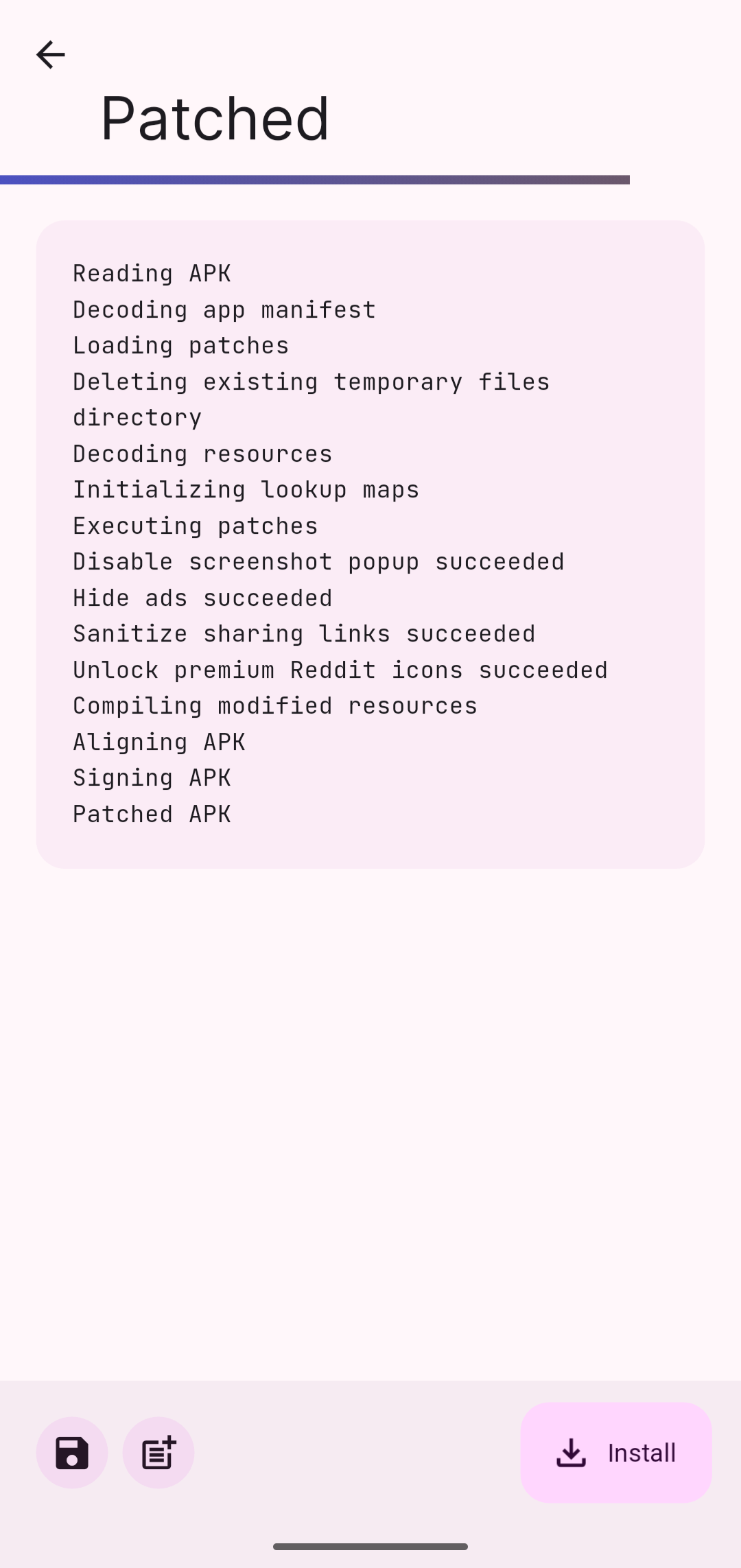
Summary
- Get an APK
- Get Revanced Manager
- Patch
- Install app
- Done
- And don’t update the app.
Finish
- After that you will be able to install your Android apk the normal way.
- For YouTube ad-free YouTube, you will need to do something else, which I’m not covring on this blog.
